Chapter 06 Actors & Components
#056 Scene Components
Your door spins around its middle instead of its hinge? Add a Scene Component.
- 1:17 video
- Written lesson
- Beginner
Free for everyone from 13 Nov 2026, 00:00 CET
An invisible point with a transform
A mesh always rotates around its own pivot point, which is often its center.
A Scene Component has a transform, but nothing to draw: an invisible point in your actor. Every Scene Component can have children, and children follow their parent’s transform.
- Relative location is measured from its parent. World location is measured from your level’s origin.
- Set Relative Location moves a child inside its parent’s space. Set World Location places it at an exact spot.
- Need a child to ignore its parent’s rotation? In its Details, switch Rotation from Relative to World.
Example: a door hinge
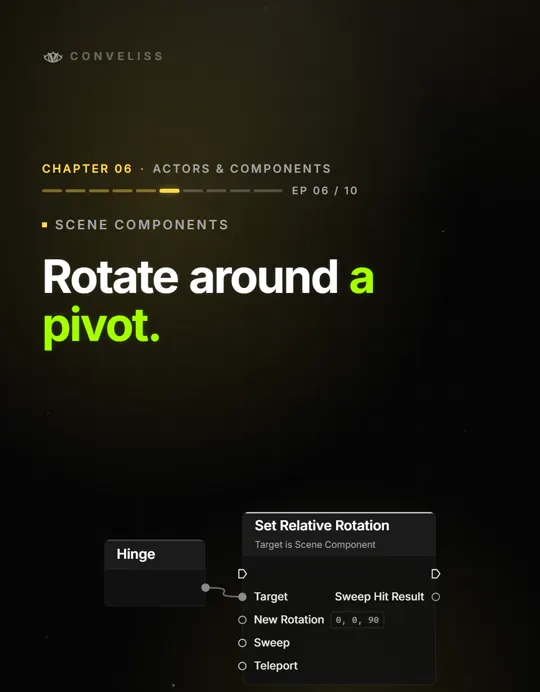
Add a Scene Component named Hinge, move it to the door’s edge, and attach the door mesh below that Hinge.
Now rotate the Hinge, not the mesh. Set Relative Rotation to ninety degrees of Yaw, and the door swings around its edge. Rotate the mesh instead, and the door spins around its center.
Every other child under the Hinge, like a handle or a lock, swings with the door too.
Tips
- For parts that keep spinning, like fan blades, use Add Relative Rotation on a pivot component.
- Scene Components also make cheap anchors for spawn points and camera targets.
In short
Rotate the parent, not the part.
Covered in this lesson
- Scene Component
- Set Relative Location
- Set World Location
- Set Relative Rotation
- Add Relative Rotation