Chapter 05 Functions & Collections
#045 Pass by Reference
One checkbox decides whether a function edits a copy, or your actual variable.
- 1:16 video
- Written lesson
- Beginner
Free for everyone from 7 Nov 2026, 00:00 CET
Copy or original
Without that tick, a function can’t change the variable you pass in.
By default, every input is passed by value: the function gets its own copy. Changing that copy does nothing to the caller’s variable.
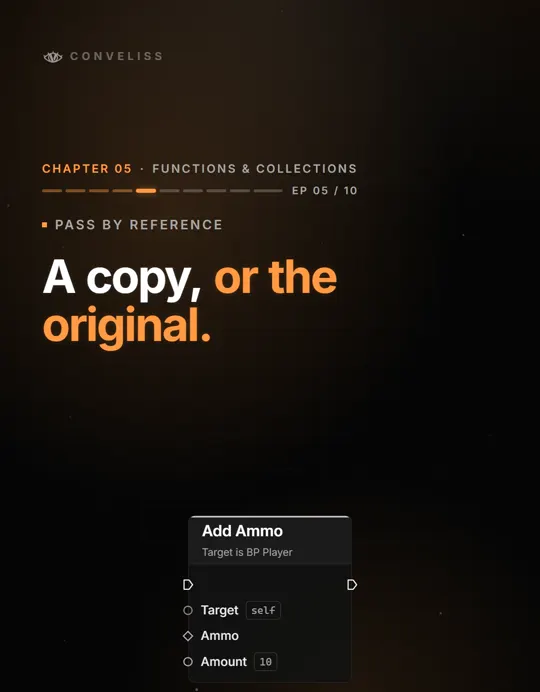
Select the input in Details, open its options, and tick Pass-by-Reference. The pin turns into a diamond. The function now points at the caller’s variable itself. To write through the reference, drag from that pin and add Set By-Ref Var.
Objects work differently: an actor input already points at the same actor, so changes to that actor always reach the caller.
Example: Add Ammo
Add Ammo has Ammo passed by reference, and an Amount. Inside, Ammo plus Amount goes into Set By-Ref Var.
The player calls it on their own Ammo variable, with an Amount of ten. Twenty becomes thirty, and it’s the player’s own variable that changed.
Untick the box, and the pin is a copy again, which Set By-Ref Var can’t accept.
Common mistakes
- Promoting a reference input to a local variable. You’re back to a copy. Writes to that local never reach the caller.
- Wire the input pin straight into Set By-Ref Var instead.
In short
Value hands over a copy. Reference hands over the original.
Covered in this lesson
- Pass-by-Reference
- Set By-Ref Var
- Promote to Local Variable