Chapter 05 Functions & Collections
#050 Blueprint Macro Libraries
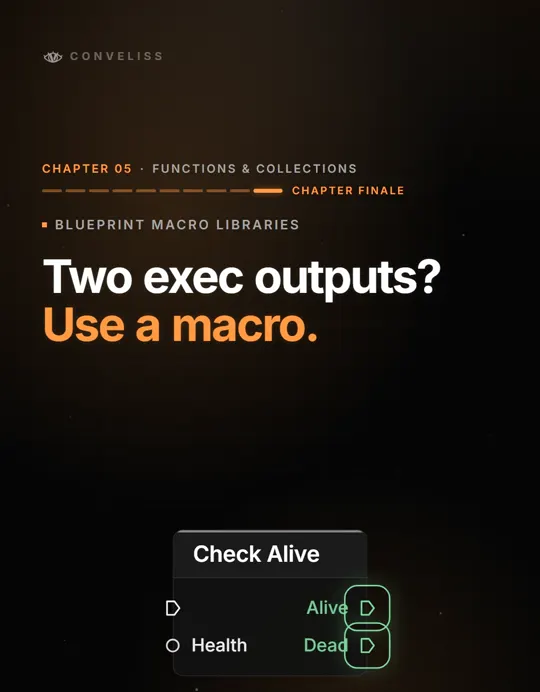
Need shared nodes with two exec outputs, in every actor? A function can't do that. A macro can.
- 2:02 video
- Written lesson
- Beginner
Free for everyone from 10 Nov 2026, 00:00 CET
Macros for many Blueprints
A Blueprint Macro Library is an asset that holds macros for many Blueprints to share. Create one in your Content Browser, under Blueprint, and pick a parent class, usually Actor.
That parent decides who gets access: only Blueprints based on that class, or its children, see these macros. Inside, macros can call that class’s functions directly, like Get Actor Location.
Unlike functions, a macro can have several exec outputs, and it can hold latent nodes, like Delay.
- Each use is copied into your graph when you compile, so a large macro used everywhere makes every Blueprint bigger.
- A macro with Delay can’t be used inside a function.
Example: Check Alive
Check Alive lives in a library based on Actor. Inside, a Branch tests Health above zero, and leads to two exec outputs: Alive and Dead.
The player uses this macro, and so does every enemy: Health forty runs Alive, zero runs Dead.
A health bar widget isn’t an actor, so this macro never shows up there.
You’ve used macros already: Do Once, Gate and For Each Loop come from Unreal’s Standard Macros.
Chapter five recap: functions and collections
- Inputs carry data in, and Return Nodes hand results back.
- Pure functions run on every read, impure ones run once.
- Locals reset every call, members remember, and a reference edits the original.
- Maps look up values by key, Find returns a copy, and Sets keep each value once.
- Libraries share functions and macros with every Blueprint that needs them.
Three final tips
- Give every path through a function its own Return Node.
- Before looping over a pure function’s result, store it in a local variable.
- Always check Find’s boolean, or a missing key quietly returns zero.
Next, chapter six: actors and components, starting with Actors versus Components.
In short
Several exec outputs? Use a macro.
Covered in this lesson
- Blueprint Macro Library
- Macro
- Branch
- Delay
- Do Once
- Gate
- For Each Loop
- Find