Chapter 06 Actors & Components
#051 Actors vs Components
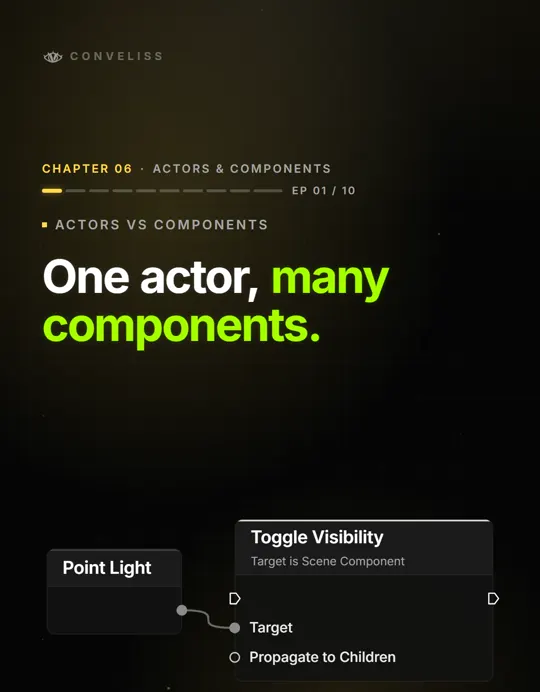
Is a lamp one actor, or three? One actor, built from components.
- 1:12 video
- Written lesson
- Beginner
Free for everyone from 10 Nov 2026, 00:00 CET
Video coming soon
Things and their parts
Beginners make a separate actor for every mesh and light, then struggle to keep them moving together.
An Actor is anything you can place or spawn in a level. Components are the parts inside an actor, like meshes, lights, collision boxes and sounds. A component can’t exist in a level by itself. It always belongs to an actor.
- Scene components have a transform, and attach to each other inside your Components panel.
- The top one is the root: its location is the actor’s location.
- Actor components, like Projectile Movement, add behavior with no transform at all.
Example: a lamp
BP Lamp has a root, a lamp mesh, and a Point Light.
- Drag the Point Light into your graph to get a reference to that component.
- When the player overlaps your lamp, Toggle Visibility switches only that light.
- Move the actor, and the mesh and light move along together.
- Place ten lamps, and each one gets its own light.
Common mistakes
- Moving a child component to move the actor. It moves only that component and its children. Use Set Actor Location to move everything.
- To reach a component on another actor, use Get Component by Class.
In short
Actors are things. Components are their parts.
Covered in this lesson
- Actor
- Scene Component
- Actor Component
- Toggle Visibility
- Set Actor Location
- Get Component by Class