Chapter 06 Actors & Components
#052 Actor Lifecycle
Every actor lives through the same events, in one fixed order. Learn that order, and setup bugs get easy.
- 1:17 video
- Written lesson
- Beginner
Free for everyone from 11 Nov 2026, 00:00 CET
Video coming soon
One fixed order
Code placed in a wrong event runs too early, every frame, or not at all.
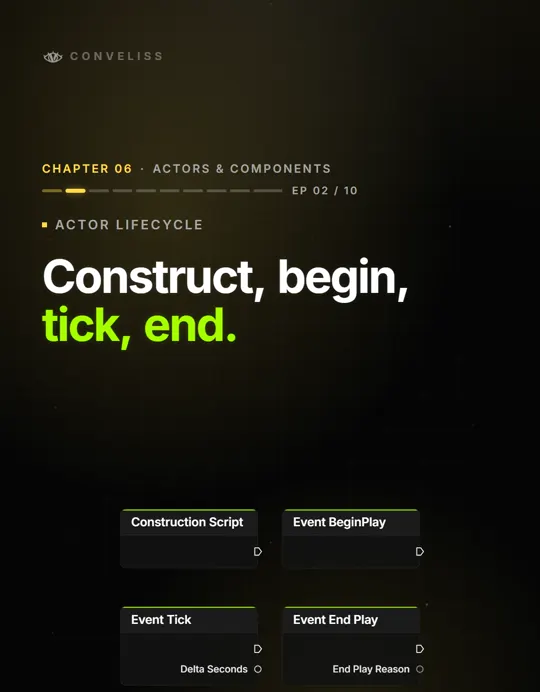
- Construction Script. It runs inside your editor whenever you place, move or edit the actor, and again when the actor spawns, right before Begin Play.
- Begin Play fires once, when the game starts, or when the actor is spawned later.
- Event Tick runs every frame, for as long as the actor exists.
- End Play fires when the actor leaves the world, with a reason, like destroyed, a level transition, or quitting the game.
Example: a coin pickup
- Its Construction Script sets the coin’s size from a Value variable, so you see the result while placing coins.
- Begin Play stores the start location, once.
- Tick rotates the coin a little every frame.
- The player grabs the coin, Destroy Actor runs, and End Play reports Destroyed.
Common mistakes
- Gameplay logic in the Construction Script. It reruns inside your editor every time you drag the actor.
- Assuming another actor is ready. Begin Play order between actors isn’t guaranteed.
- If an actor doesn’t need Tick, untick Start with Tick Enabled in Class Defaults.
In short
Construct, begin, tick, end.
Covered in this lesson
- Construction Script
- Event BeginPlay
- Event Tick
- Event End Play
- Destroy Actor
- Start with Tick Enabled