Chapter 07 Collision & World Queries
#066 Line Trace
Is your player facing the door? Fire one invisible line, and ask the world.
- 1:12 video
- Written lesson
- Beginner
Free for everyone from 18 Nov 2026, 00:00 CET
Video coming soon
Ask the world
Overlap and hit events wait for contact. To find what the camera is aiming at, you have to query the world.
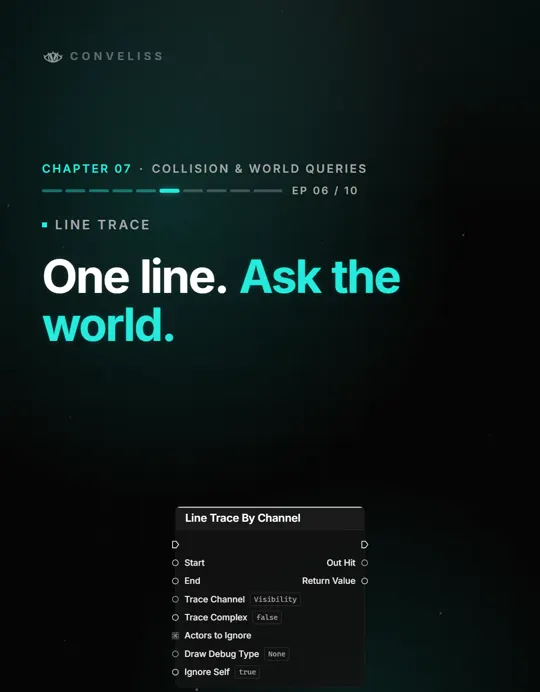
Line Trace By Channel tests a straight line, from Start to End, instantly, during this frame. It stops at the first thing that blocks its Trace Channel, like Visibility.
- Return Value is true only when the line is blocked, and Out Hit describes that hit.
- Start and End are both world locations, not directions.
- Ignore Self is on by default, so your own actor never blocks the line.
Example: facing the door
Start is the camera’s world location. End is that location, plus the forward vector times five hundred.
- The line reaches the door, Return Value is true, and the True branch opens the door.
- Turn away, and the same trace hits nothing. Return Value is false.
Common mistakes
- Plugging forward times five hundred straight into End. Now the line aims at the world origin. Add it to the Start location first.
Tips
- While building, set Draw Debug Type to For Duration, so you can see every trace.
- Leave Trace Complex off, unless the simple collision is too rough.
In short
A line trace returns the first thing that blocks its channel.
Covered in this lesson
- Line Trace By Channel
- Out Hit
- Ignore Self
- Get Forward Vector
- Draw Debug Type
- Trace Complex