Chapter 07 Collision & World Queries
#065 Overlap vs Hit Event
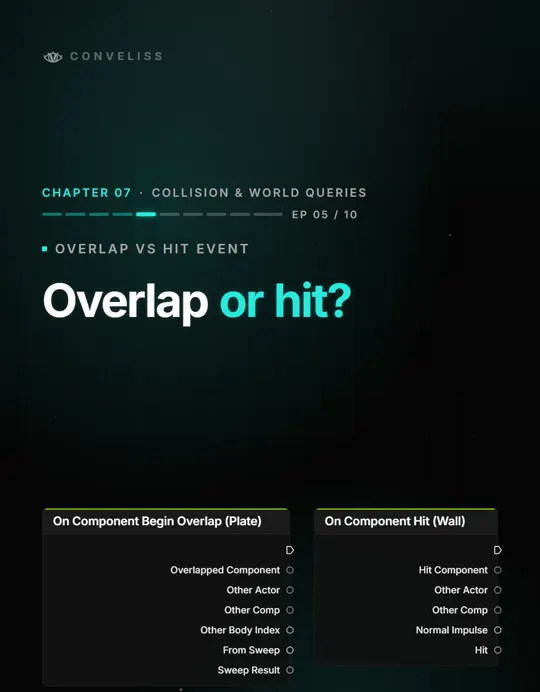
Should your pressure plate use an overlap, or a hit? It depends on whether it blocks.
- 1:19 video
- Written lesson
- Beginner
Free for everyone from 17 Nov 2026, 00:00 CET
Video coming soon
The responses decide the event
Pick the wrong event, and it never fires, because the collision responses decide which event you get.
- An overlap needs one side set to Overlap, and neither side set to Ignore. The objects pass through each other.
- A hit needs both sides set to Block. The movement stops at the contact.
- Overlaps need Generate Overlap Events on both components. Hits need swept movement, or Simulation Generates Hit Events for physics.
- Begin Overlap fires once, when it starts. A hit fires on every blocking contact, even every frame.
Example: a pressure plate and a wall
- The plate’s box uses Trigger, so the player walks across the plate, and Begin Overlap lights the plate.
- The wall uses BlockAll, so the player stops, and On Component Hit fires instead.
Set the plate to BlockAll by mistake, and the player is stopped: no overlap ever fires. Set the wall to OverlapAllDynamic, and the player walks through: no hit fires.
Tips
- Use overlaps for zones, like triggers, pickups and damage areas. Use hits for impacts, like projectiles and physics.
- If neither fires, check both presets first: one Ignore cancels both events.
In short
If you pass through, use an overlap. If you get stopped, use a hit.
Covered in this lesson
- On Component Begin Overlap
- On Component Hit
- Generate Overlap Events
- Simulation Generates Hit Events
- Trigger
- BlockAll