Chapter 05 Functions & Collections
#041 Function Inputs
Same damage math, copied into five events? Write it once, and give it an input.
- 1:16 video
- Written lesson
- Beginner
Free for everyone from 5 Nov 2026, 00:00 CET
Write it once
Copied logic means every fix must be made five times.
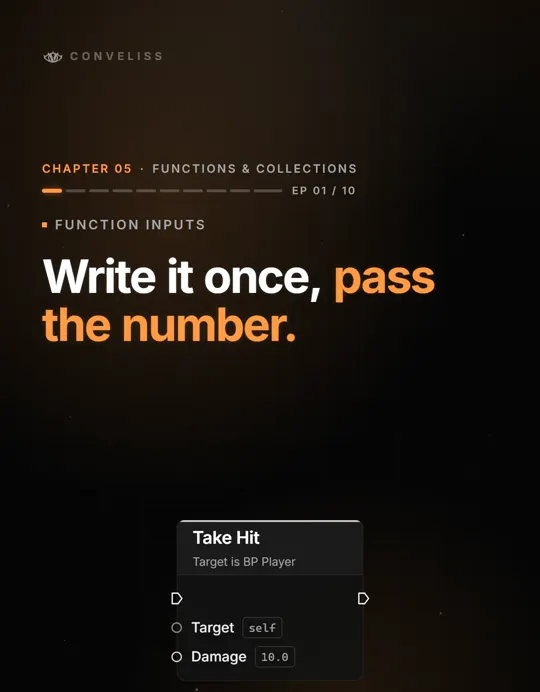
In My Blueprint, click + next to Functions, and name it Take Hit. Select its entry node. In Details, under Inputs, click +: pick a name and a type.
Each input shows up twice: inside, as an output pin, and outside, as an input pin on every call. Inside, wire it like any value. Outside, each call fills it with its own data.
Inputs are copies by default. Change one inside, and the caller’s variable stays untouched.
Example: Take Hit
Take Hit has one Float input: Damage. Inside, Health minus Damage goes back into Health.
- A sword swing calls it with 10. Health drops to 90.
- An explosion calls the same function with 40. 90 becomes 50.
One graph, two callers, different numbers.
Common mistakes
- An input left unwired. No error appears. The call simply uses whatever value sits in that pin, and for Floats, that starts at zero.
- Add an input later, and every existing call quietly gets that default. Set a sensible default in Details, then right-click the function and use Find References.
In short
Define it once, fill it at every call.
Covered in this lesson
- Function
- Inputs
- Find References