Chapter 06 Actors & Components
#058 Actor Tags
One check that works on any actor, whatever its class? Give it a tag.
- 1:15 video
- Written lesson
- Beginner
Free for everyone from 14 Nov 2026, 00:00 CET
Video coming soon
Roles, not classes
Cast To needs one exact class. But barrels, cars and fuel tanks can all explode, with no shared parent to cast to.
Every actor has Tags, an array of Names. In Details, search for Tags, and add a label like Explosive.
- Tags you add to one placed actor stay on that instance. Add them inside your Blueprint, so every copy gets them.
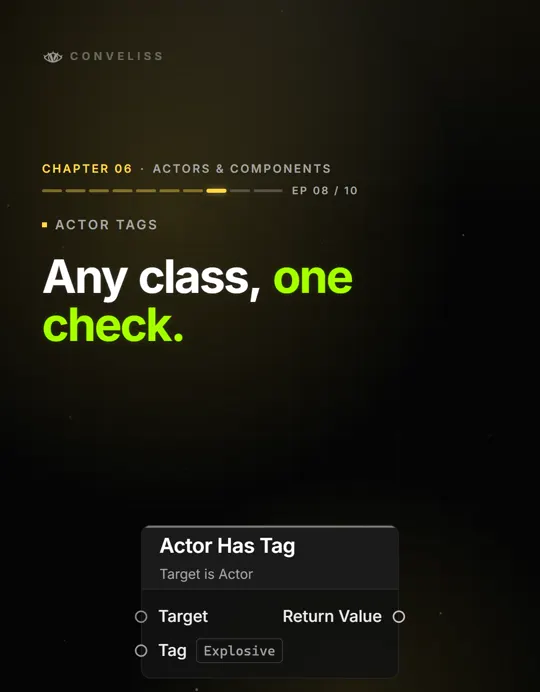
- Actor Has Tag is a pure node. It returns true when the Target’s Tags contain that Name.
- Matching ignores case, but a typo or one extra letter never matches.
- Get All Actors with Tag returns every actor carrying that tag. It searches the whole world, so don’t call it every frame.
Example: explosive props
A player rolls past three props. On Begin Overlap, Actor Has Tag checks the Other Actor for Explosive.
- The crate has no tags, so the Branch goes False, and nothing happens.
- The barrel is tagged Explosive, so the Branch goes True, and it blows up.
- This barrel is tagged Explosives, with an extra S, so it never matches.
Tips
- Components have their own list, Component Tags, checked with Component Has Tag.
- Tags is a normal array. Add or remove tags at runtime to change an actor’s role.
In short
Tags describe roles, not classes.
Covered in this lesson
- Tags
- Actor Has Tag
- Get All Actors with Tag
- Component Tags
- Component Has Tag
- Branch