Chapter 03 Conditions, Time & Loops
#021 Set Timer by Event
Heal five health every second, without Event Tick.
- 1:04 video
- Written lesson
- Beginner
Free for everyone from 27 Oct 2026, 00:00 CET
Video coming soon
The inputs that matter
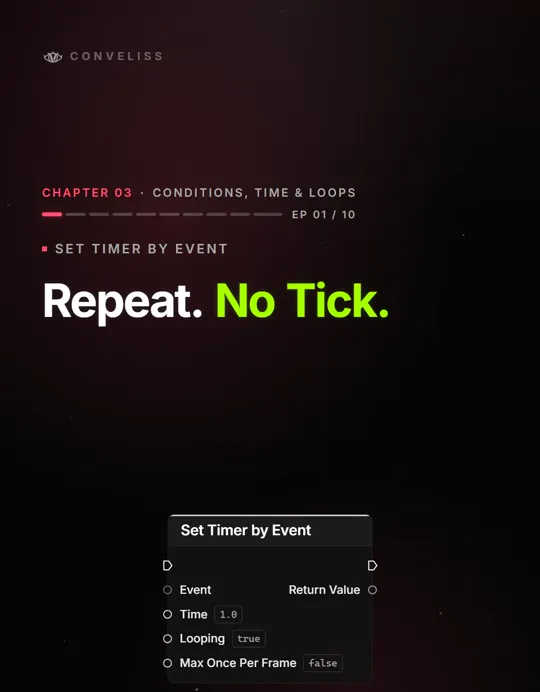
Three inputs matter: the Event pin, Time in seconds and Looping.
- Connect a Custom Event to the red Event pin. After Time seconds, that event runs.
- With Looping enabled, it runs again every Time seconds, until you clear the timer.
Unlike Delay, execution leaves the node right away. The timer counts down separately.
Example: health regeneration
On BeginPlay, set a timer with Time 1 and Looping enabled. Its event, Regen Tick, adds five to Health. It needs no inputs to fit the Event pin. At 60 frames per second, Tick runs 60 times; the timer runs once.
Stopping it
Save the Return Value, a Timer Handle, in a variable. When Health is full, pass that handle into Clear and Invalidate Timer by Handle. The timer stops, and Regen Tick stops running.
Two traps
- The first call comes after one full interval, not immediately. Need it right away? Call the event once yourself.
- Don’t set the timer on Tick. Setting it again restarts the countdown, so it may never fire.
In short
Set it once. The timer repeats for you.
Covered in this lesson
- Set Timer by Event
- Custom Event
- Looping
- Timer Handle
- Clear and Invalidate Timer by Handle