Chapter 02 References & Essential Nodes
#020 Delay Node
Sprint for five seconds, then slow down again: one Delay node handles the wait.
- 1:57 video
- Written lesson
- Beginner
Free for everyone from 27 Oct 2026, 00:00 CET
How Delay works
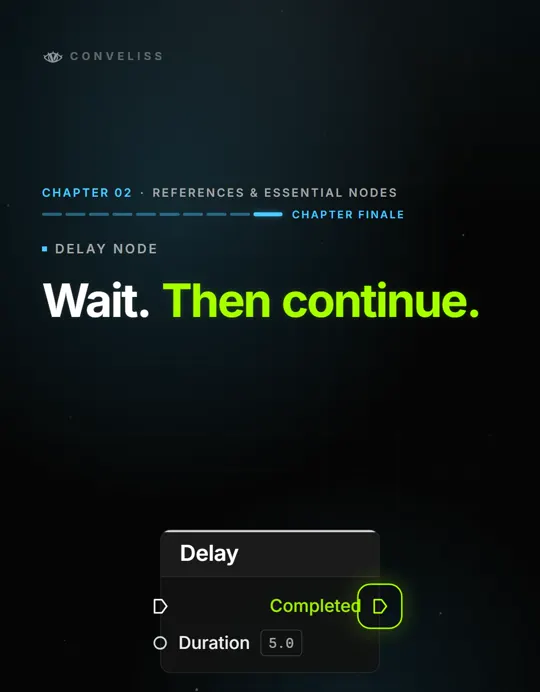
Delay has one exec input, a Duration in seconds and one output: Completed. Duration defaults to 0.2.
When execution reaches the Delay, its countdown starts and only this chain waits. Everything else keeps running: other events, player input and Tick. When the Duration has passed, Completed fires and the chain continues.
Delay is latent: Event Graphs allow it, Functions don’t.
Example: a speed boost
Pick Up Boost sets Max Walk Speed to 1000. Then a Delay of five seconds, and a second Set back to 600. The player sprints for five seconds, then walks again. Not sure when it fires? Put a Print String after Completed.
The detail beginners miss
Grab a second boost after three seconds. Delay is already counting down, so the new pulse is ignored, and the boost ends two seconds later.
Retriggerable Delay restarts the countdown with each pulse. Now the boost lasts five seconds after the last pickup. Same pins, same Duration: only the second pulse behaves differently.
Three final tips
- During a Delay, actors can get destroyed. Check references with Is Valid before using them.
- A Delay that “fixes” an order problem usually just hides it. Find what you’re really waiting for.
- For repeating work, use a timer. Don’t loop a Delay back.
Chapter 2 recap
- An actor reference points at one actor. Overlaps, traces and Get Actor of Class give you one.
- Get All Actors of Class returns an array. Search once, store the result, and check it with Is Valid before use.
- Sequence fires its outputs top to bottom, during one frame.
- Do Once lets one pulse through. FlipFlop alternates. Gate passes pulses only while open.
- Select picks values, not paths. Delay waits without stopping the game.
Covered in this lesson
- Delay
- Duration
- Completed
- Retriggerable Delay
- Max Walk Speed
- Is Valid