Chapter 07 Collision & World Queries
#061 Collision Presets
Your player walks straight through a wall, or gets stuck on a trigger? Check the Collision Preset.
- 1:14 video
- Written lesson
- Beginner
Free for everyone from 15 Nov 2026, 00:00 CET
Video coming soon
A saved collision profile
Every component has dozens of collision settings. Setting each one by hand is slow, and easy to get wrong.
A Collision Preset is a saved profile. Pick one in Details, under Collision Presets. Each preset sets three things: Collision Enabled, an Object Type, and a response to every channel.
- Collision Enabled picks Query Only, Physics Only, both, or No Collision.
- Each response is Ignore, Overlap or Block.
How two objects combine
- Two objects block only when both block each other.
- If one side overlaps, they overlap.
- If either side ignores, nothing happens.
Example: walls and triggers
The player uses the Pawn preset.
- A wall set to BlockAll stops the player, because both sides block.
- A box set to Trigger overlaps pawns, so the player walks through, and the overlap fires.
- Switch the wall to OverlapAllDynamic, and the player walks right through.
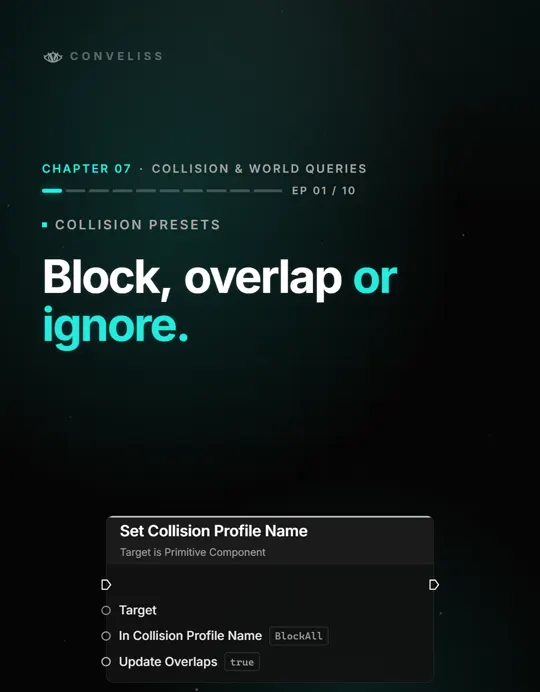
Set Collision Profile Name makes that switch during play.
Tips
- Choose Custom to edit single responses, like a door that blocks pawns but ignores the Camera channel.
- On triggers, keep Generate Overlap Events ticked, or overlaps never fire.
In short
Block happens only when both sides block.
Covered in this lesson
- Collision Presets
- Collision Enabled
- Object Type
- Set Collision Profile Name
- Generate Overlap Events