Chapter 07 Collision & World Queries
#063 Begin Overlap
A coin that collects itself the instant your player arrives? That's Begin Overlap.
- 1:14 video
- Written lesson
- Beginner
Free for everyone from 16 Nov 2026, 00:00 CET
Video coming soon
The collision system does the checking
Checking your distance to every coin each Tick is work the collision system already does for you.
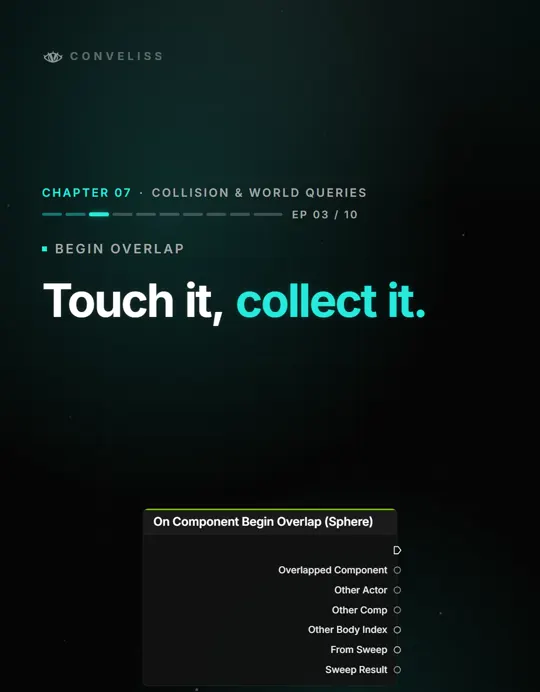
On Component Begin Overlap fires once, when another component starts overlapping this component. It gives you the Overlapped Component, the Other Actor, and the Other Comp it touched.
- Sweep Result is only filled when the overlap came from a sweep, so check From Sweep first.
- Both components need Generate Overlap Events, and their responses must overlap, not block or ignore.
- Event Actor Begin Overlap is the actor version: one event per actor, whichever part touched.
- End Overlap fires when they separate.
Example: a coin
The coin has a Sphere Collision set to OverlapAllDynamic. On Component Begin Overlap, cast the Other Actor to your player.
- The player rolls in, the cast succeeds, and the coin is collected.
- An enemy rolls through a new coin, the cast fails, and nothing happens.
Without that check, anything could collect the coin, even a projectile.
Tips
- To debug, print the Other Actor’s display name, and see exactly what triggered the event.
- Firing twice? Another component of that same actor is overlapping too.
In short
Overlap starts the event. Check who it was.
Covered in this lesson
- On Component Begin Overlap
- Event Actor Begin Overlap
- End Overlap
- Generate Overlap Events
- Cast To
- Sphere Collision